Why Computers Use Multiple Types of Memory
When students begin learning about computers, they often imagine "memory" as one thing. But modern computers actually use three different kinds of memory, each designed for a specific purpose. These layers balance speed, capacity, cost, and permanence — tradeoffs that shape the design of every computing device, from smartphones to supercomputers.
In this reading, we will explore:
- Registers — tiny, ultra-fast storage locations built directly into the CPU.
- Main Memory (RAM) — temporary workspace for programs and data currently in use.
- Secondary Storage — long-term, non-volatile storage such as SSDs and hard drives.
Each type plays a distinct role. By the end of this reading, you will understand not only what these memory types are, but why computers need all three — and why replacing one with another simply is not possible.
The Memory Hierarchy: Speed, Size, and Cost
Computer architects often describe memory using a hierarchy. At the top are very small but extremely fast components; at the bottom, huge but slower storage. This design balances performance with affordability.
One of the most important ideas in computing is that speed, size, and cost are traded off against each other:
- Faster memory is dramatically more expensive to manufacture.
- Large memory is cheaper but slower to access.
- No single type of memory can maximize all three goals.
Registers, RAM, and secondary storage sit at three different points along this spectrum.
Registers: The CPU's Fastest Storage
Registers are the smallest and fastest form of memory available to the CPU. Each register is a tiny circuit capable of holding a single number, address, or instruction fragment. They are located inside the CPU itself — so close to the processing hardware that data can be accessed almost instantly.
To give some perspective:
- A register can be accessed in less than 1 nanosecond.
- RAM typically takes 50–100 nanoseconds to access.
- An SSD may take tens of thousands of nanoseconds to fetch data.
That means registers are thousands of times faster than RAM. This speed is essential for the CPU to keep functioning without bottlenecks.
Why So Few Registers?
Registers are incredibly expensive to build because they use complex circuitry and must fit inside the CPU's tiny physical footprint. Most CPUs include somewhere between 8 and a few dozen general-purpose registers.
Special-Purpose Registers
In Reading 1, we introduced two important special-purpose registers:
- PC (Program Counter) — stores the address of the next instruction.
- IR (Instruction Register) — stores the instruction currently being executed.
These registers play crucial roles in the fetch-decode-execute cycle, helping the CPU track its position in a program and understand what to do next.
Analogy for Teachers
Registers are like the tiny amount of information a person can hold in working memory — what they can think about "in their head" at any moment. Fast, but extremely limited.
There is actually one more layer in the hierarchy. Modern CPUs include a small, ultra-fast layer called cache memory that sits between registers and RAM. Its job is to keep recently used data close at hand so the CPU does not have to reach all the way to RAM as often. Cache is one reason modern computers perform as well as they do despite RAM being relatively slow compared to registers.
We will not assess cache on the Competency Demo, and it will not appear in the main readings again. But if you find yourself curious, the Extend Your Learning section of this topic goes a bit further. That is worth saying more broadly too: throughout this course, Extend Your Learning sections are worth at least a quick read. They will not appear on any CD, but they often answer the follow-up questions that naturally arise from the main content — and they are the kind of thing a curious student might ask you about someday.
Main Memory (RAM): The Computer's Workspace
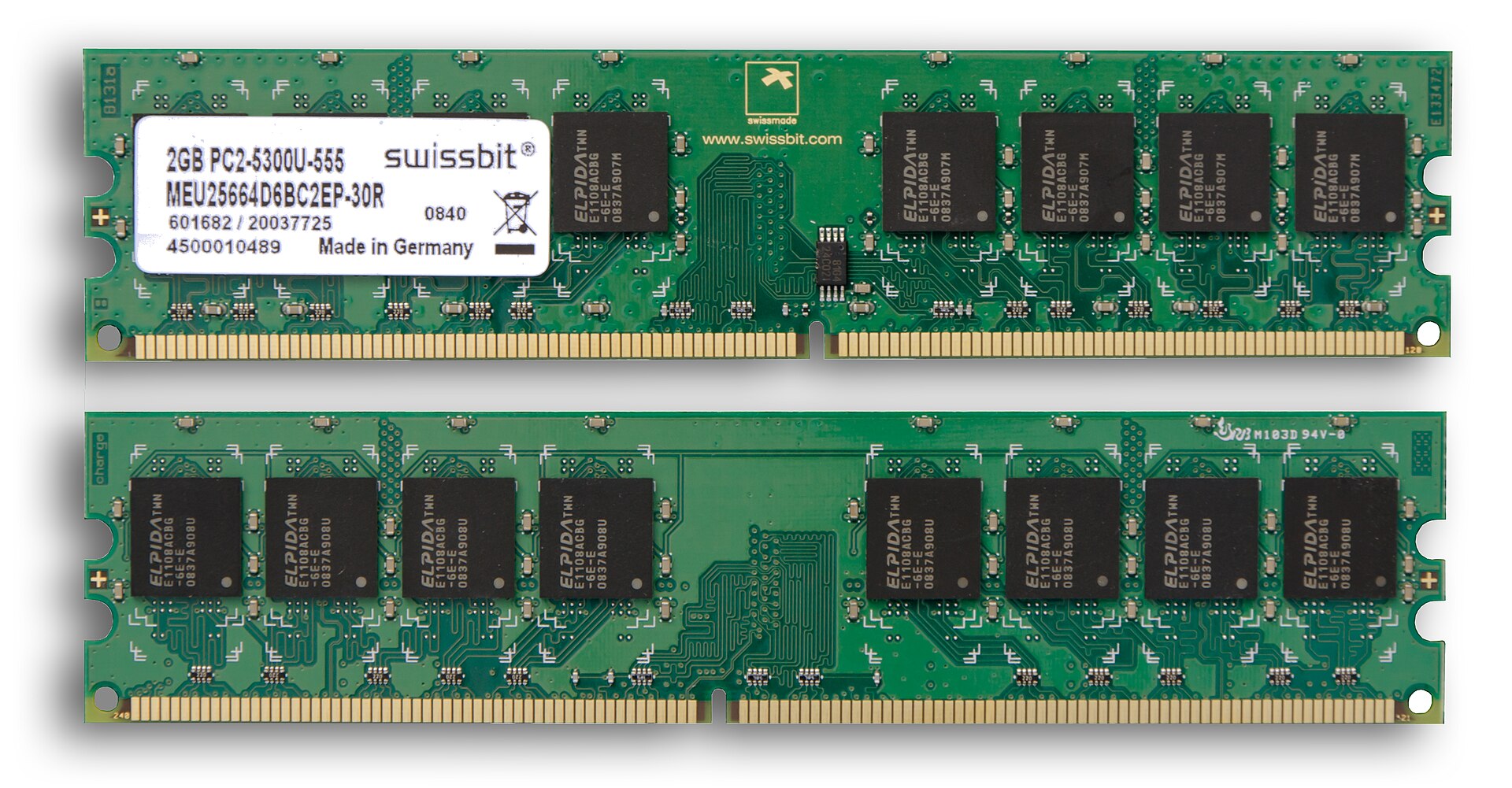
Main memory, or RAM (Random Access Memory), is where the computer stores data and instructions for programs that are currently running. When you start an app, its code is loaded from secondary storage into RAM so the CPU can access it much more quickly.
How RAM Works
RAM stores information using tiny electronic components that can rapidly switch between states. These components are arranged in a grid of cells, each with a unique address. The CPU can request any address directly — this is why it is called random access memory.
Speed and Capacity
RAM is much slower than registers but much faster than secondary storage. For example:
- Registers: < 1 nanosecond
- RAM: 50–100 nanoseconds
- Secondary storage: 50,000+ nanoseconds
RAM is also far larger than registers. A typical computer has 8–32 gigabytes of RAM but only a few dozen registers.
Volatility: Why RAM Forgets Everything
RAM is volatile, meaning it loses its contents when power is removed. This is why documents must be saved to a file — saving transfers them to non-volatile storage that persists across shutdowns.
Analogy for Teachers
RAM is like a teacher's desk during a lesson: papers, notebooks, and materials are spread out for active use. But once class ends, the desk gets cleared — just as RAM is cleared when the computer turns off.
Secondary Storage: Long-Term Memory
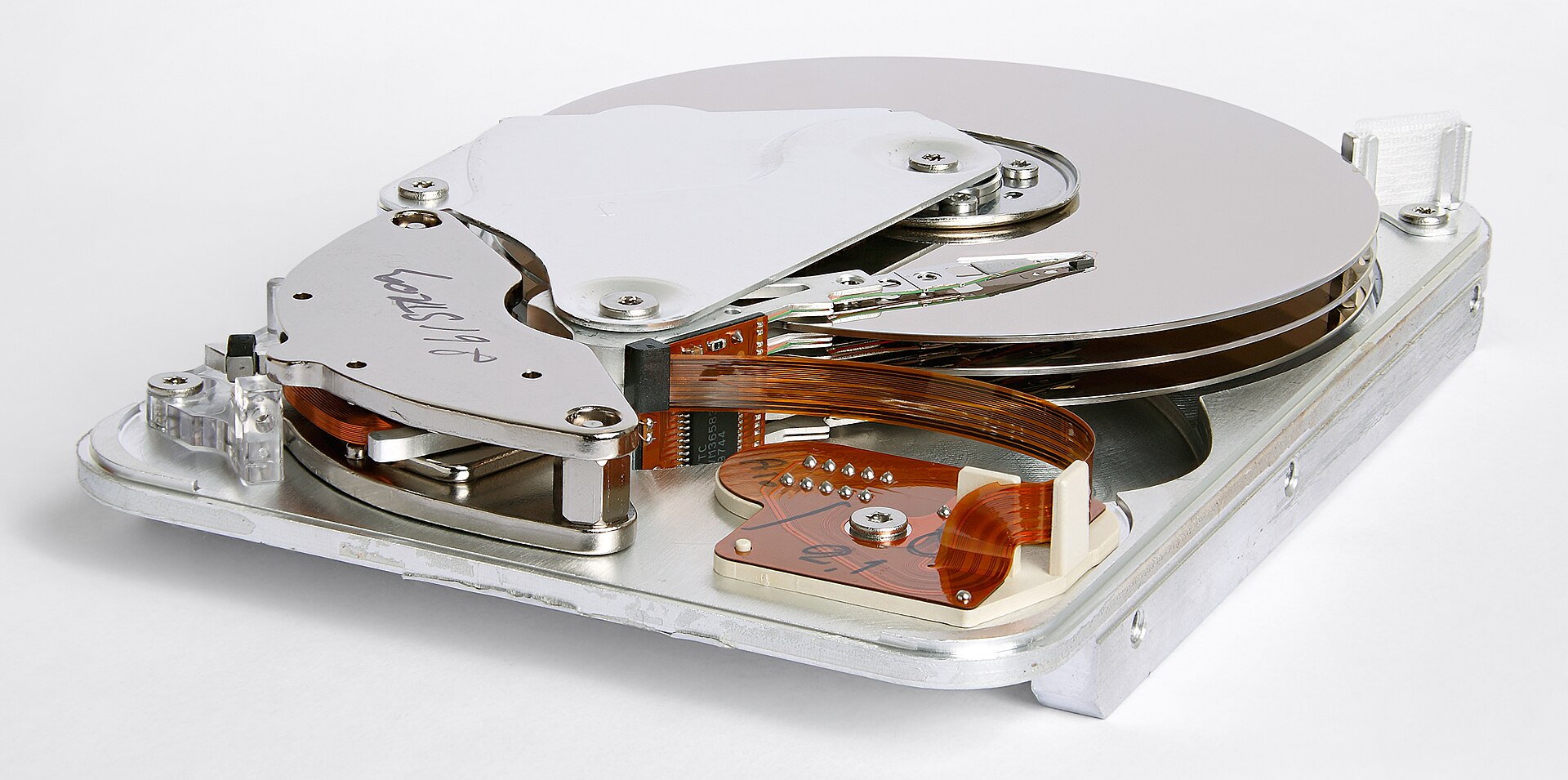
Secondary storage is the computer's long-term memory. It keeps data even when the power is off. Examples include SSDs, hard drives, USB drives, and SD cards. Secondary storage is designed to hold large amounts of data at low cost — modern systems routinely have hundreds of gigabytes or even multiple terabytes.
The tradeoff is speed. Secondary storage is much slower than RAM because the CPU cannot access it directly. Data must be transferred through the operating system and storage controller. Even solid-state drives, which have no moving parts, operate at speeds thousands of times slower than registers.
Analogy for Teachers
Secondary storage is like a filing cabinet or bookshelf. It keeps information safe long-term, but retrieving something from it takes more time than grabbing materials from your desk.
Coming up in Topic 2c: We will look closely at the three physical classes of secondary storage — magnetic, optical, and flash — how each one works, how each one fails, and why all three still coexist today despite their differences.
Summary: Why All Three Types Matter
Registers, RAM, and secondary storage work together to balance speed, cost, and capacity in modern computing.
- Registers — extremely fast, extremely small, inside the CPU.
- RAM — fast, medium-sized, working memory for active programs.
- Secondary storage — slowest but enormous, permanent storage.
Understanding this hierarchy helps teachers explain why programs load slowly from disk, why computers need enough RAM to run smoothly, and why the CPU depends so heavily on registers to keep processing efficiently.